Pick the color you like
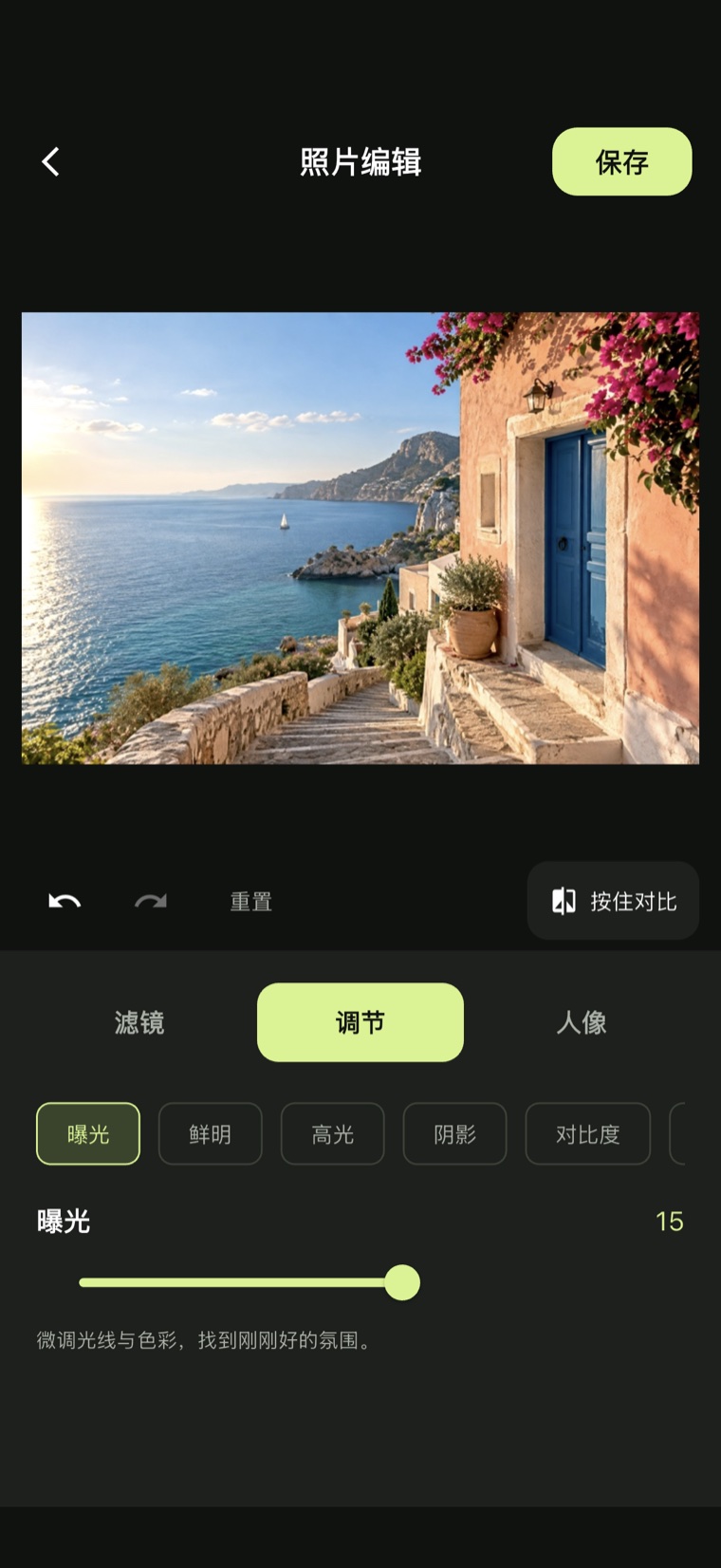
Filters, adjustments and portrait, in three sections. Apply a built-in look, or drag exposure, warmth and the rest — the image follows immediately. Press and hold to see the original, and undo any step.
Pika Camera
Natural portraits · Cinematic color · Every frame is yours to define
The iOS release is in review — this link goes live once it ships.
Drag to see the grade
01 / Screens
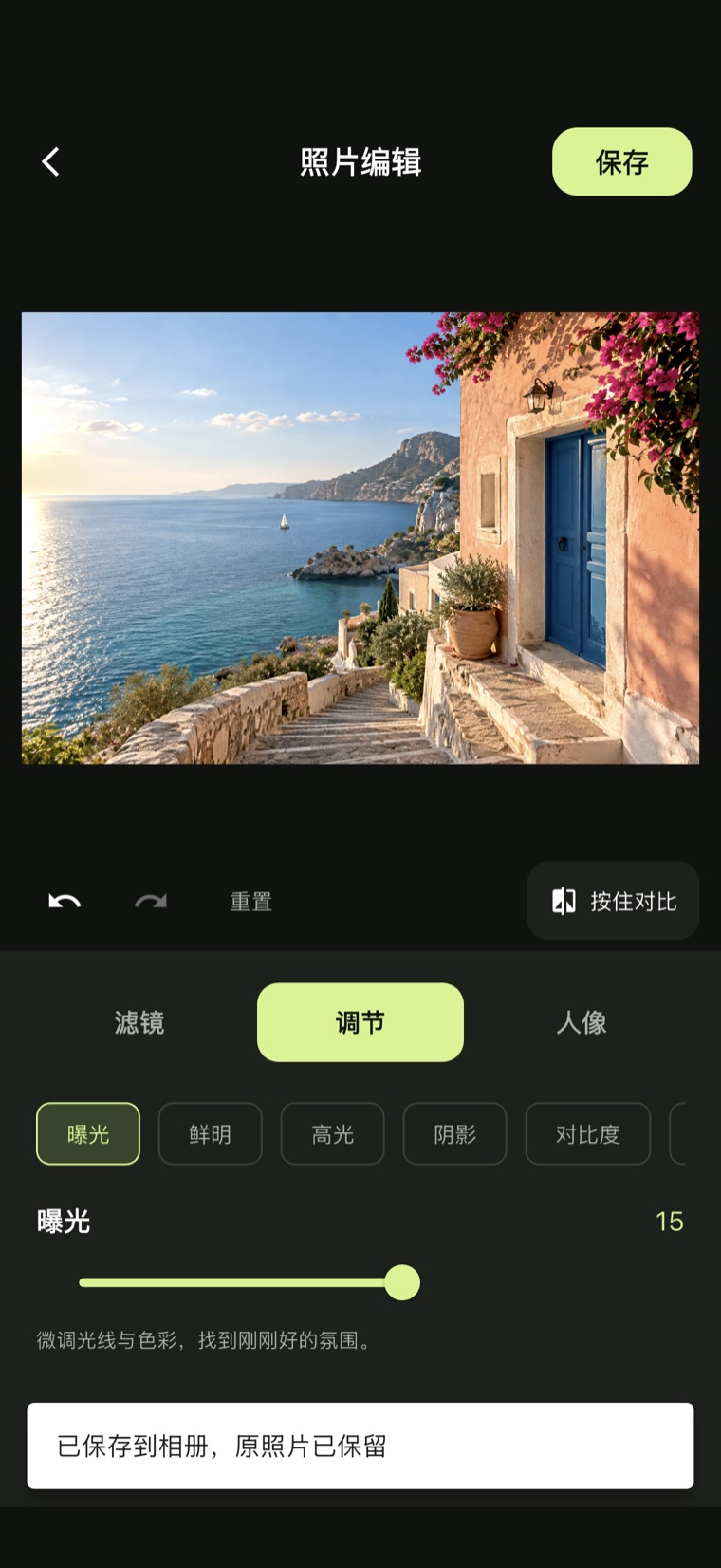
Filters, adjustments and portrait, in three sections. Apply a built-in look, or drag exposure, warmth and the rest — the image follows immediately. Press and hold to see the original, and undo any step.
Exported at the original resolution into your photo library. The photo you started from is untouched, so you can always try again.
02 / Try it
This is the app's own sample photo. Drag a slider and the image follows in real time — it runs the same adjustments the app does.

03 / Capabilities
Beyond those sliders.
Color styles tuned for film texture, rendered through 3D LUTs rather than a single overlay — highlights, shadows and skin tones handled separately. You can import your own .cube files too.
Smoothing and dimension sit on two independent tracks, so one never drags the other. Real facial features and skin texture stay intact. iPhone adds face slimming.
Press and hold the image to see the original at any time, undo and redo every step, and get a reminder before leaving with unsaved work.
Results are exported at the original resolution as a new photo. The one you started from is never overwritten.
On iPhone and iPad, videos take the same color and adjustments, with the original audio track preserved on export.
Everything is processed on your device and the core features need no network. No account, no ads — just open it and work.
04 / Privacy
Photos and videos are processed entirely on your phone. This isn't a promise — the app simply has no upload path to begin with.